


Types of evaluation
Variations
Variations are string values that we evaluate against features using Featurevisor SDKs in our applications.
They are often called A/B test experiments, which helps us test different variations of a feature and see which one performs better.
Variations are one of the 3 different types of values that we can evaluate against features, including:
Visual explanation#
Starting with initial weights#
We start with a feature that's:
- rolled out to 60% of all of our traffic targeting everyone
- with a 50-50 split between the
AandBvariations
Usually they are named as control and treatment variations in A/B test experiments.
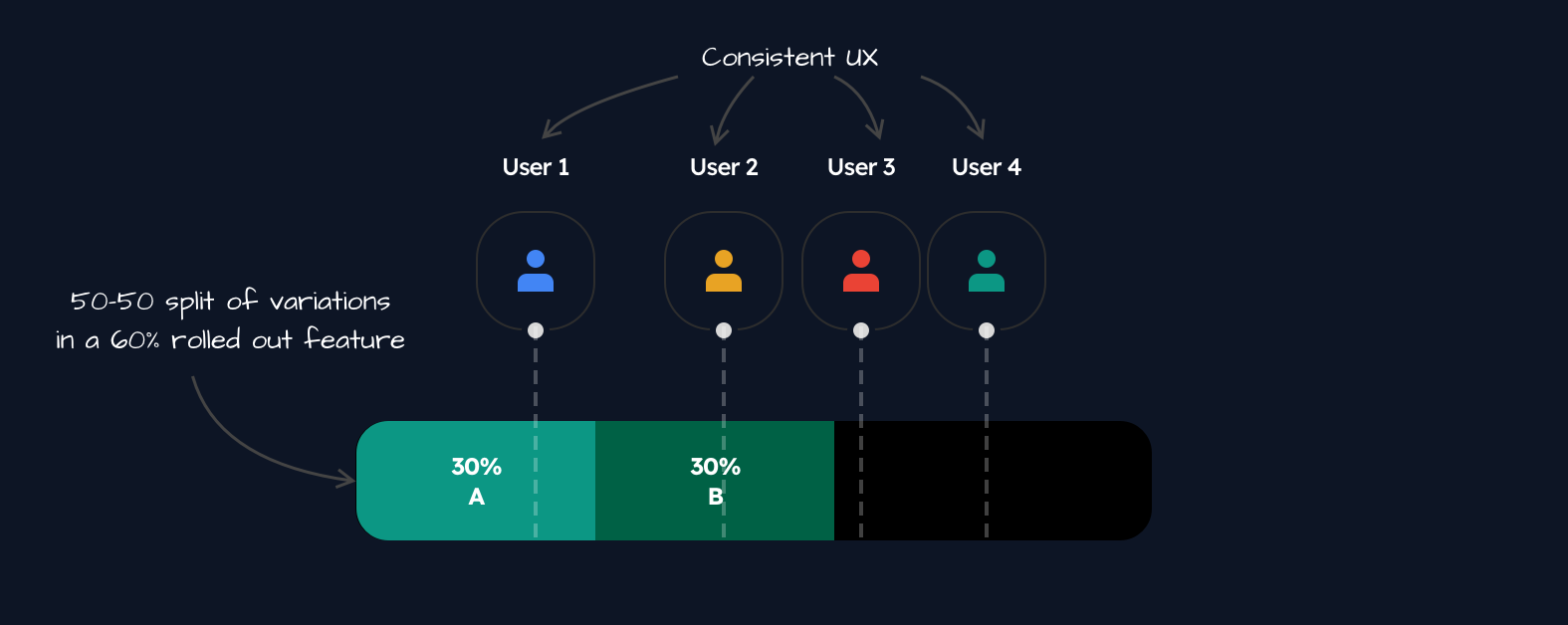
The above feature could be expressed as follows:
description: My feature description here...tags: - web - ios - androidbucketBy: userIdvariations: - value: A weight: 50 - value: B weight: 50rules: production: - key: everyone segments: '*' percentage: 60The bucketBy property makes sure that the same variation value is always evaluated for the same user across all of our applications, achieving a consistent experience for the user.
Learn more about complex variation definitions here.
Increasing the rollout percentage#
Let's say we want to increase our rollout percentage from 60% to 80%:
# ...rules: production: - key: everyone segments: '*' percentage: 80This will result in the following:
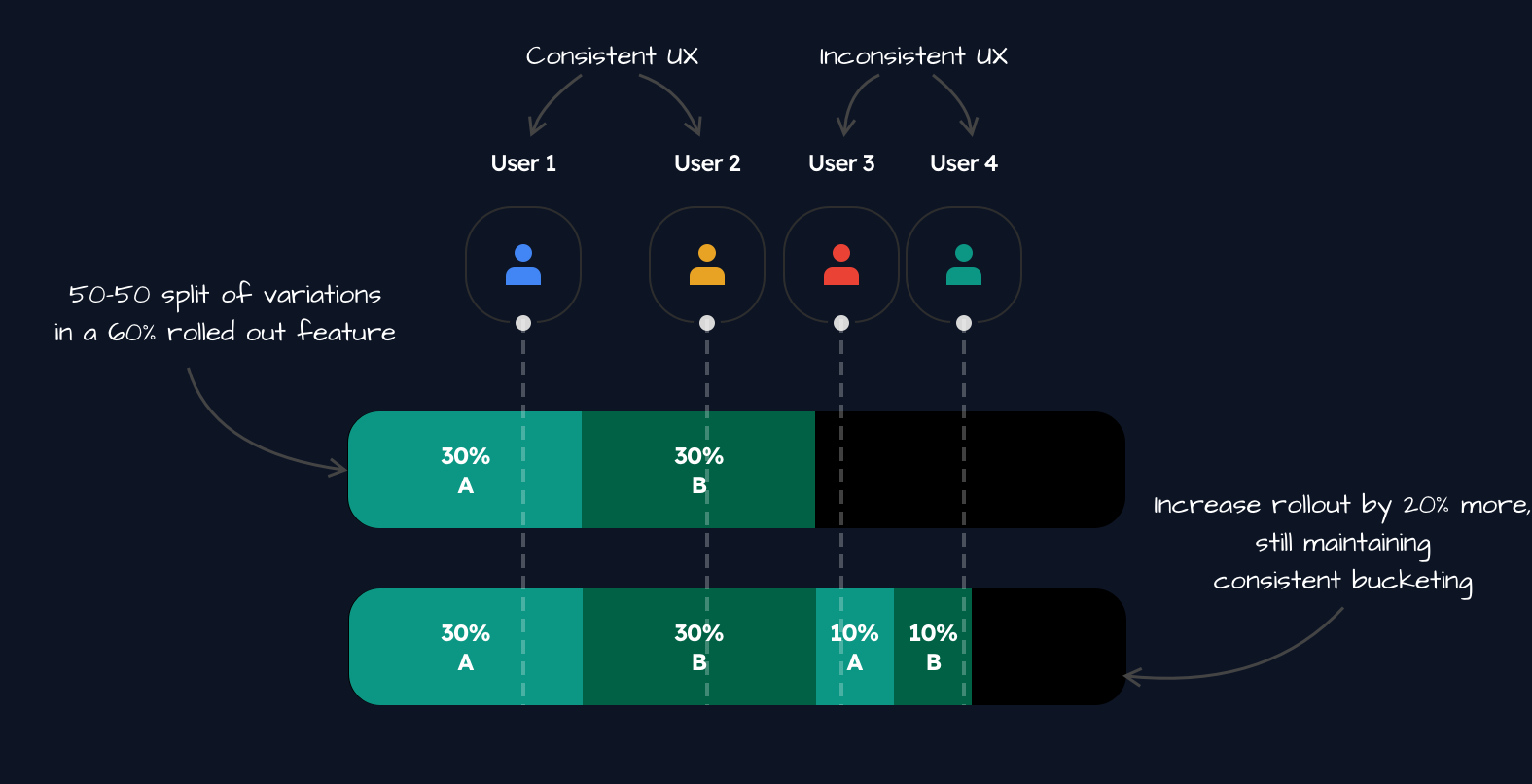
For the first and second users, the experience will remain the same as before, as they are still in the 60% rollout range.
But for the third and fourth users, the experience will change now that they are in the 80% rollout range.
Decreasing the rollout percentage#
If we decrease our rollout percentage from 80% to 70%, a re-bucketing process will be triggered for all users in the feature.
# ...rules: production: - key: everyone segments: '*' percentage: 70The impact will be the following:
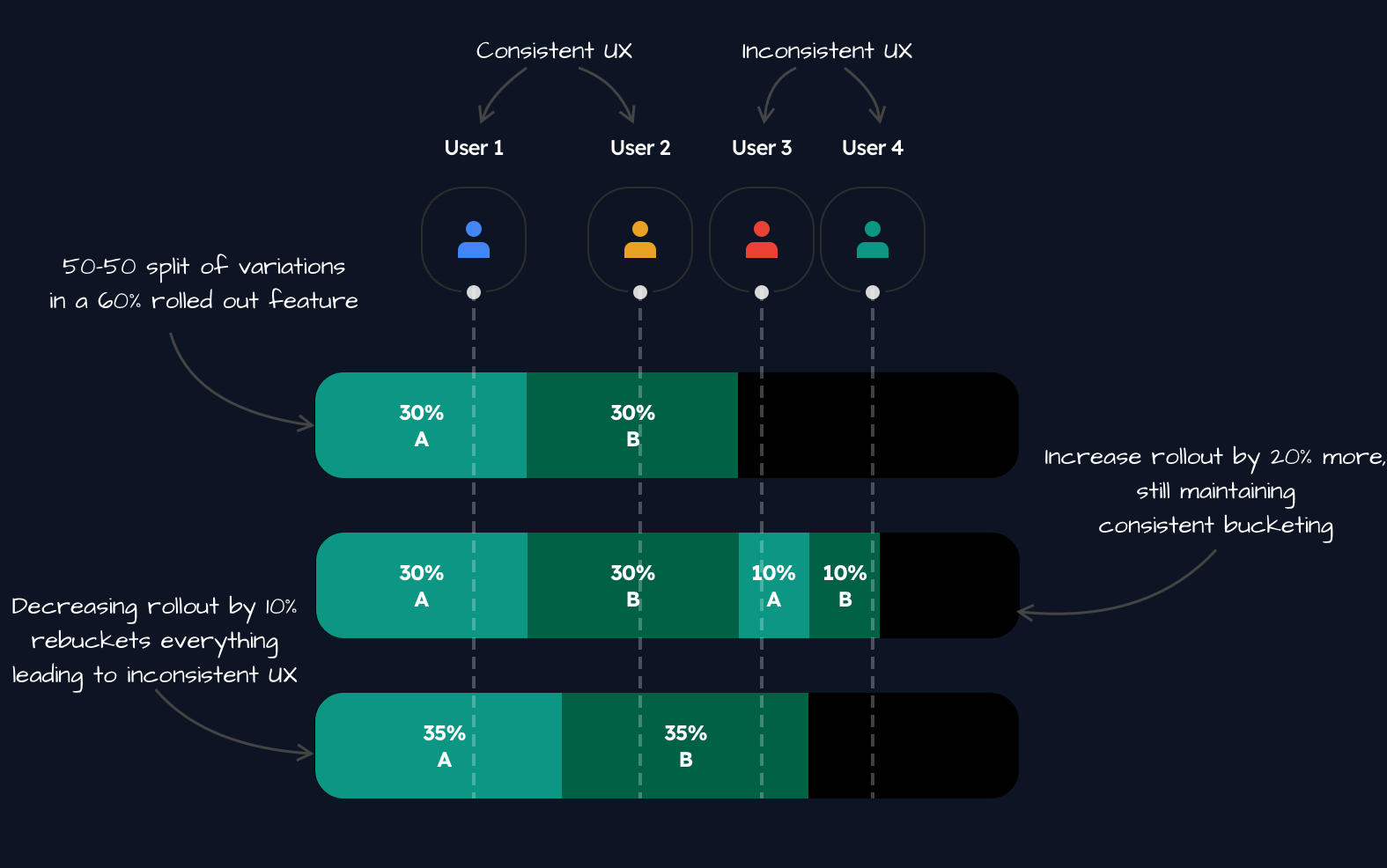
You will notice that the third user would move from variation A to variation B because of this re-bucketing.
The same re-bucketing process would have happened if we changed the weights of the variations as well.
Increasing again#
From the latest state, if we increased the rollout percentage all the way from 70% to 100%:
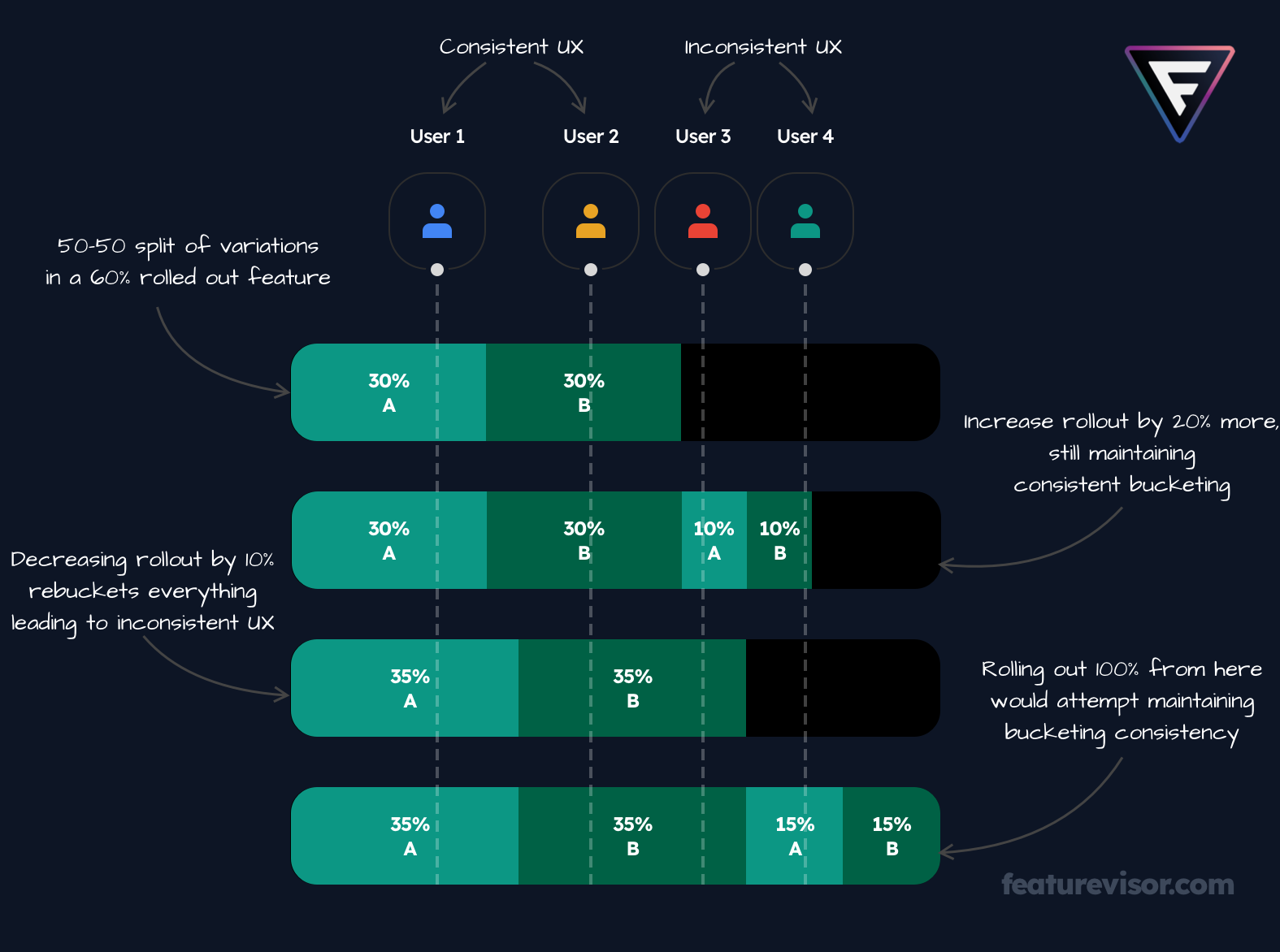
We would still maintain consistent bucketing for all users in the feature because the percentage value is still increasing.
Usage of SDK#
If we take JavaScript SDK as an example, we can evaluate the feature's variation as follows:
import { createFeaturevisor } from '@featurevisor/sdk'const f = createFeaturevisor({ datafile: { ... }});const variation = f.getVariation('my_feature');Learn about more advanced use cases for evaluations here.