


Types of evaluation
Feature variables
Feature variables are key/value pairs owned by a feature and evaluated through Featurevisor SDKs.
This page covers variables defined under a feature's variablesSchema. Featurevisor also supports global variables with their own targeting, requirements, and lifecycle.
They are one of the 3 different types of values that we can evaluate against features, including:
- Flags
- Variations
- Variables (you are here)
Visual explanation#
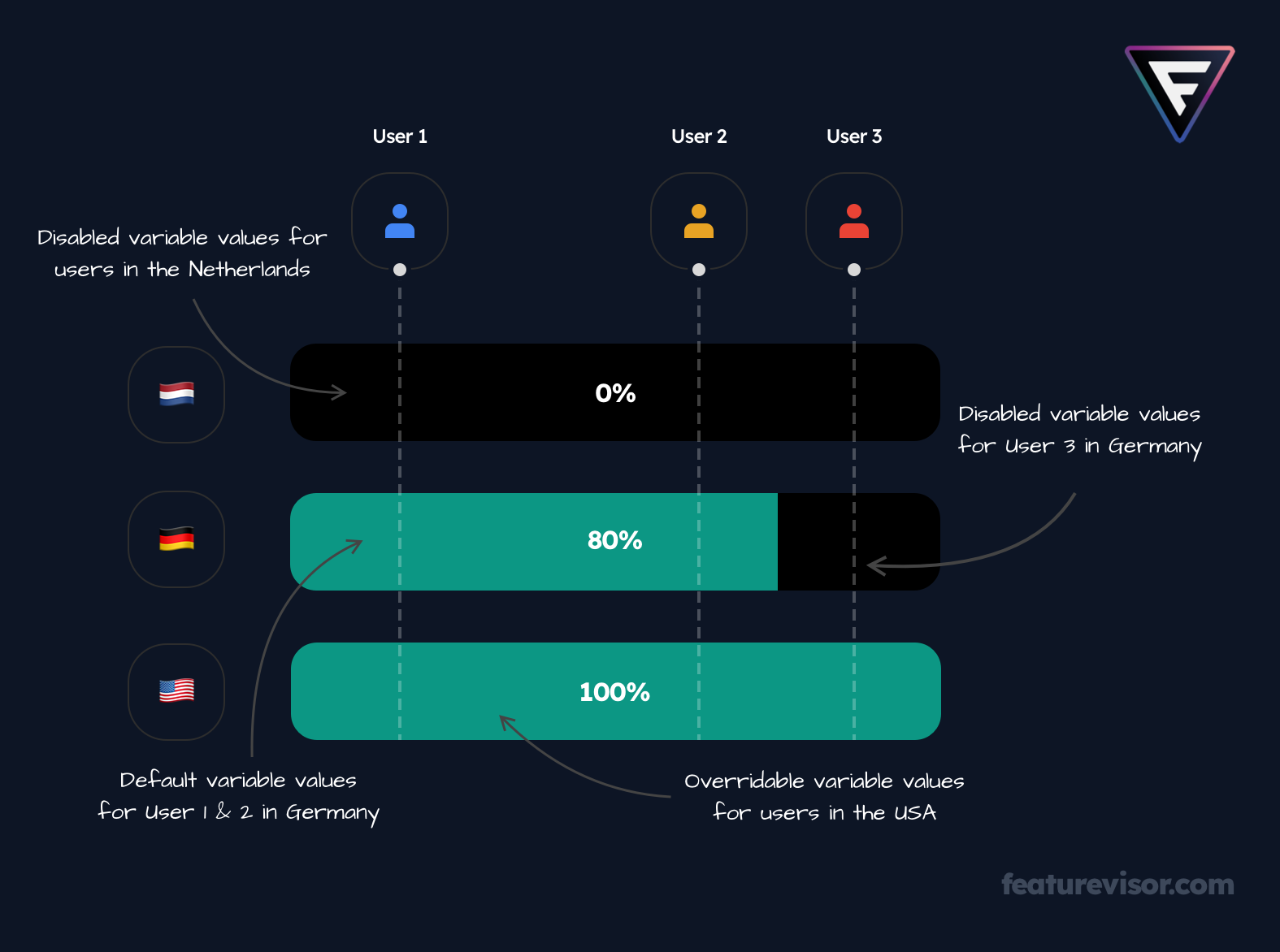
Default variable values#
When defining a feature, we can set a default value for each variable:
description: My feature here...tags: - web - ios - androidbucketBy: userIdvariablesSchema: my_variable: type: string defaultValue: default valuerules: production: - key: nl segments: netherlands percentage: 0 - key: de segments: germany percentage: 80 - key: us segments: usa percentage: 100Whenever the variable is evaluated, if the feature itself is evaluated as enabled, the default value will be served.
Disabled variable values#
The feature itself will not always be evaluated as enabled, given it is being rolled out gradually targeting specific segments.
If we wish to serve a variable value when the feature is disabled, we can make use of the disabledValue property:
# ...variablesSchema: my_variable: type: string defaultValue: default value disabledValue: different value for disabled featureOverrides at rule level#
There are times when we want to override the default value for a variable for a specific rule alone. In that case, we can make use of the variables property at individual rule level:
# ...rules: production: - key: nl segments: netherlands percentage: 0 - key: de segments: germany percentage: 80 - key: us segments: usa percentage: 100 variables: my_variable: different value for USAOverrides at variation level#
It's very much possible that we are running experiments, and want to override the variable value depending on the variation that the user is bucketed into.
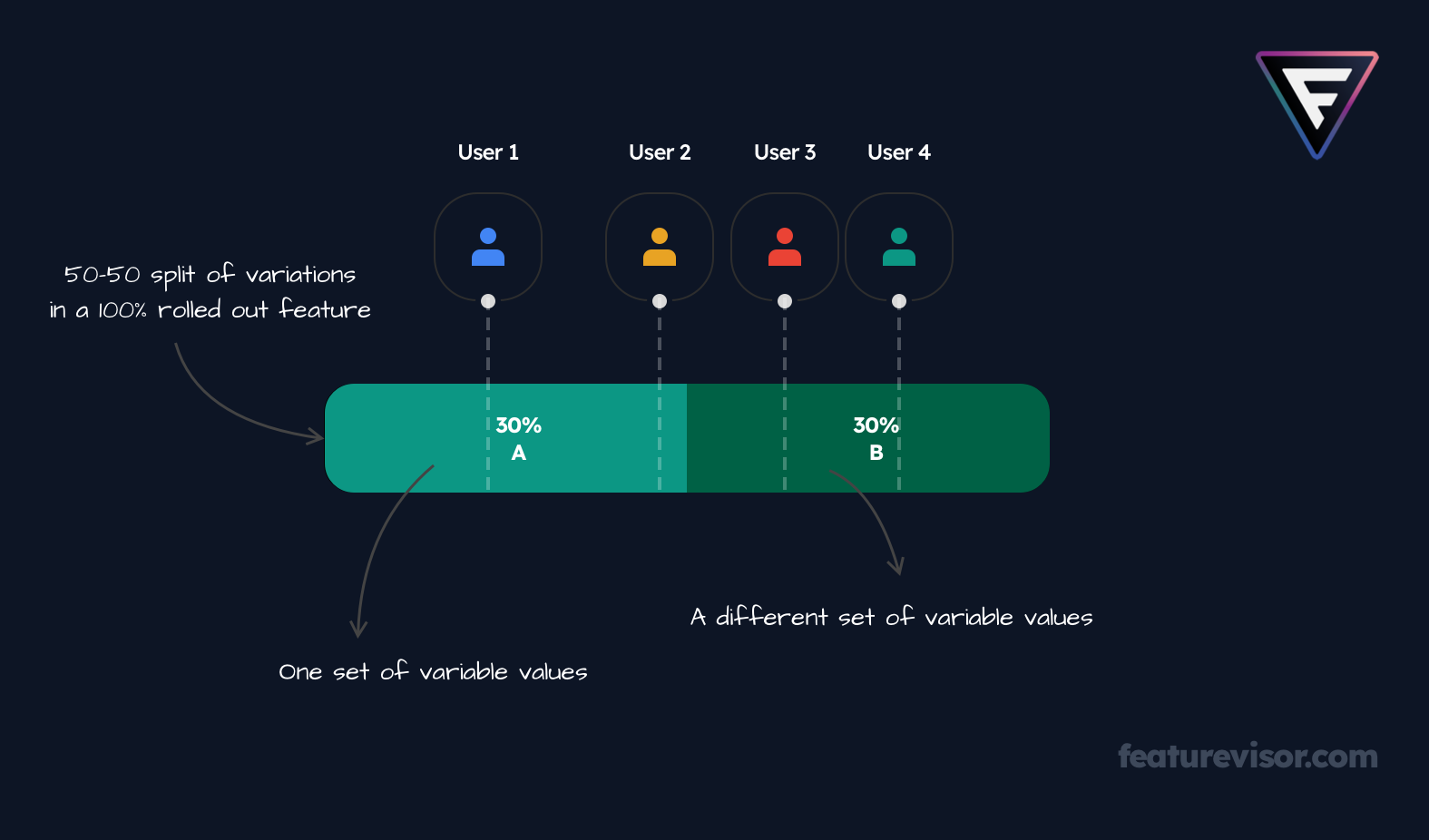
We can achieve that by expressing the variations property as follows:
# ...variations: - value: A weight: 50 # default variable values will be served for this variation # if no `variables` property is defined here - value: B weight: 50 variables: my_variable: different value for B variation# ...This approach basically makes it a multivariate test experiment, which you can read more about here.
Override keys#
Granular variableOverrides inside rules and variations can define a stable key:
rules: production: - key: everyone segments: '*' percentage: 100 variableOverrides: my_variable: - key: netherlands conditions: attribute: country operator: equals value: nl value: Waarde voor NederlandThe key appears as variableOverrideKey in detailed SDK evaluations and lets an individual override participate safely in promotions. Keys remain optional for backwards compatibility, but they are recommended for new definitions. Set requireOverrideKeysInFeatures to true when every feature variable override in the project should require one.
Further overrides#
Learn about more advanced use cases of overriding variable values here.
Feature variable override lists remain flat. If a broad match should supply a value that more specific matches refine in stages, use nested global variable overrides.
Usage of SDK#
If we take JavaScript SDK as an example, variable values can be evaluated as follows:
import { createFeaturevisor } from '@featurevisor/sdk'// create Featurevisor SDK instanceconst f = createFeaturevisor({ datafile: { ... }});// set some common context to evaluate values againstf.setContext({ userId: '123',});const myVariableValue = f.getVariable('my_feature', 'my_variable');const anotherVariableValue = f.getVariable('another_feature', 'another_variable');Learn about more advanced use cases for evaluations here.