



Feature flags & configsas code
Flags, experiments and remote configuration, declared as YAML in your Git repository.

description: Checkout redesign
bucketBy: userId
rules:  - key: netherlands    conditions: netherlands  # Dutch visitors    percentage: 100          # enabled for all
- key: everyone conditions: "*" # everyone else percentage: 25 # gradual rolloutf.isEnabled('checkout', context)f.getVariable('supportEmail', context)// → both from memory, no network callThree steps, all of them yours
A pull request to your repository, a build in your CI, a file on your CDN. There is no vendor in the middle.
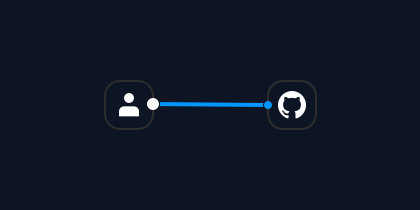
Send pull requests
Attributes, segments, features and variables are files in one repository. Every change arrives as a pull request and is reviewed like any other.
What lives in the repository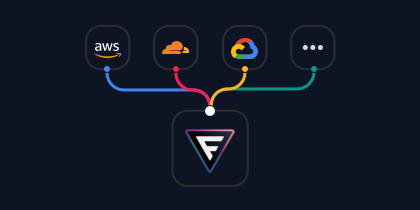
Build and upload to your CDN
Your CI lints and tests on the pull request, then builds the datafiles on merge and uploads them to your CDN as static JSON.
How datafiles are built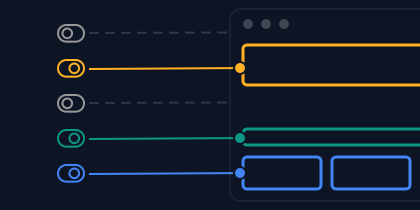
Fetch and evaluate with SDKs
Applications fetch the datafile and evaluate every flag and variable in memory, on the web, on mobile and on the server. No request per lookup.
Pick an SDKMore than just feature flags
One repository, one pipeline, one SDK call shape. What changes is the kind of answer you get back.
On or off, by rule
Rules are checked in order and the first match wins. The plain boolean case stays plain.
f.isEnabled('checkout', context)// → trueRollout by rule
One variation, by weight
Weights divide the audience that already passed the rules, and a user keeps the arm they were given.
f.getVariation('pricing', context)// → 'treatment'Traffic split
Typed values, validated
Strings, numbers, objects and JSON, checked against a schema when the datafile is built.
f.getVariable('supportEmail', context)// → '[email protected]'Supported types
Ship it to ten percent, then everyone
The percentage is a slice of the audience your rule already matched. Bucketing is deterministic, so the same users stay in as you ramp, and nobody flickers between experiences.
bucketBy: userId
rules: - key: everyone conditions: "*" percentage: 10userId user-5 is in at 25%, and at every step after
Describe the audience once
Attributes become segments, segments become rules. Every layer is a file you can review, reuse and test on its own.
description: Visitor country
type: string
# your app passes this# as context at runtime
One typed input, declared once. Anything your app can pass as context: country, plan, app version.
description: Dutch visitors
conditions:  - attribute: country    operator: equals    value: nl
Named, reusable conditions. Written once, referenced everywhere.
rules:  - key: netherlands    conditions: netherlands    percentage: 100
  - key: everyone    conditions: "*"    percentage: 25
The rule names the segment from step two. Rules are checked in order, and the first match wins.
reused by
- features/pricing.yml
- features/liveChat.yml
- features/checkout.yml
- features/pricing.yml
- features/liveChat.yml
- features/checkout.yml
Not everything is on or off
Plenty of what you want to change at runtime is a value, not a switch. A global variable is a typed value in a file of its own, with its own lifecycle and its own targeting.
description: Support email shown to users
type: string
f.getVariable('supportEmail')// → '[email protected]'It is addressed by its own key, so no feature has to be opened first and no bucketing has to be passed. Every type the schema system supports is available, all validated when the datafile is built. That is the whole file. Narrowing it comes next.
Build one value in layers
An override changes a value for the accounts its conditions match. Add continue: true and the next match builds on the result, so each layer adds only what it changes.
description: Checkout settings
defaultValue:  currency: EUR  paymentMethods: [card]
overrides:  - key: netherlands    conditions: netherlands    continue: true    mutate:      paymentMethods:appendUnique: ideal
- key: paying conditions: payingAccounts mutate: paymentMethods:appendUnique: invoicewithout continue[card, ideal]first match wins
Or bound to a variation
The same typed values can live inside a feature instead. There they follow whichever variation the user was bucketed into, so each arm of an experiment carries a complete set of its own.
variablesSchema:  label:    type: string    defaultValue: Buy  colour:    type: string    defaultValue: "#111827"
variations:  - value: control    weight: 50
- value: treatment weight: 50 variables: label: Buy now colour: "#2563eb"f.getVariation('buyButton', context)// → 'treatment'f.getVariable('buyButton', 'label', context)// → 'Buy now'The variation is decided first, by weight, and every variable follows it. An arm never mixes values from another, and anything it does not set falls back to the schema default.
So which one do you reach for?
The difference shows up at the call site. Count the keys.
resolved from variation treatment
Use it when the value only makes sense for that feature, or has to follow a variation. It lives and dies with its feature.
f.getVariable('buyButton', 'label')// two keysresolved from override netherlands
Use it when the value has its own lifecycle or is shared across features or services.
f.getVariable('supportEmail')// one keyThings that wait for other things
A feature can require another feature, or one specific variation of it. So can a standalone value. The requirement is checked first, and the rest is never reached.
description: File upload inside chat
bucketBy: userId
# there is nothing to upload into# unless live chat is onconditions:  - feature: liveChat
rules: - key: everyone conditions: "*" percentage: 100A standalone value can name the same field and wait on a feature in exactly this way. Featurevisor resolves the whole chain at build time, so a datafile never arrives missing something it depends on.
The same file, two different answers
When a project has environments, rules live under an environment key. Staging and production then travel together in one reviewed change instead of drifting apart in two dashboards.
Wide open, so the team lives on it every day.
Deliberate, and ramped on its own schedule.
description: Checkout redesign
bucketBy: userId
rules:  staging:    - key: everyone      conditions: "*"      percentage: 100
production: - key: everyone conditions: "*" percentage: 10Or keep the lanes fully apart
When environments in one file are not enough, sets split the project into independent trees. The same feature key can behave completely differently in each, and you move work forward one promotion at a time.
Each set owns its own attributes, segments, features, targets and tests, exactly like a regular project.
Without --apply it only previews. Applied definitions are ordinary files, so the change still arrives as a Git diff you review, lint and test before it merges.
Nothing takes effect until it ships
There is no dashboard where a stray click changes production. Every change travels the same reviewed path your code does.
Your feature management history is your Git history. Every value that ever reached production is attributable to a commit, a reviewer and a build.
Ask in English, review it as code
Featurevisor ships an official skill, so an agent can author definitions the way you would. It writes the same YAML, into the same repository, and it still has to get past the same gate.
/featurevisor ramp showWishlist to 25%, but only in the Netherlands
Plan
- reuse segments/netherlands.yml
- add a rule to features/showWishlist.yml, ahead of the catch-all
- extend tests/features/showWishlist.spec.yml
No YAML and no dashboard. Describe the outcome and let the skill supply the vocabulary, whether or not you know the words for it.
rules: - key: netherlands conditions: netherlands percentage: 25 - key: everyone conditions: "*" percentage: 0A targeted rule ahead of the catch-all, in the order that decides the answer. Ordinary files, in your repository, in your format.
It opens a pull request. An agent cannot reach production any faster than you can, because nothing here bypasses the pipeline.
Assert what a user will get, before they get it
Test specs are YAML next to your definitions. Pin a bucket value and a context, state the expected answer, and let CI hold you to it.
feature: checkout
assertions:  - description: Dutch users are in    at: 40    context:      country: nl    expectedToBeEnabled: true
  - description: Everyone else waits    at: 90    context:      country: de    expectedToBeEnabled: false
The same command runs locally and in CI. A failing assertion exits with an error. Run tests before building and publishing so CI stops any change that breaks an expectation.
Evaluated inside your app, not on our servers
Your project compiles to static JSON. Applications fetch it once, hold it in memory, and evaluate locally without a network request for each decision. Applications control when to fetch configuration updates.
A target is any runtime that should receive its own datafile. It can take everything, or narrow down by tags and key patterns when an app only needs part of the project.
featurevisor-web.jsonrev 128One file, served from your own CDN. No vendor in the request path, no per seat pricing, and no evaluation service to keep alive.
The same deterministic bucketing in every SDK, so a user bucketed into an experiment on the web is in the same arm on your backend and on their phone, and the same test specs can be run through the SDKs themselves.
Browse the SDKs JavaScript
 React
React Vue
Vue Next.js
 Go
Go Python
 PHP
PHP Ruby
Ruby Java
Java Kotlin
 Swift
Swift Rust
Rust OpenFeature
What teams use it for
The same definitions, targeting and pipeline cover all of them. Nothing here needs a different product.
Progressive delivery
Ramp a change from one percent to everyone, on your own schedule, with the same users carried forward at every step.
Read the guideA/B and multivariate tests
Weighted variations with their own variable sets, connected to whichever analytics tool you already run.
Read the guideRemote configuration
Typed values that change what the app renders without a release, validated against schemas at build time.
Read the guideTrunk-based development
Merge to one branch several times a day and let unfinished work sit behind a flag rather than behind a long-lived branch.
Read the guideTesting in production
Expose work in progress to your own team first, then widen, without maintaining a separate build.
Read the guideMicrofrontends
Independent teams shipping on independent cadences, from one repository and one set of datafiles.
Read the guideReady to ship with confidence?
Self hosted, free, and yours to run. Start a project in one command.