


Definitions in depth
Bucketing
Bucketing gives each user a fixed position from 0 to 100 for each feature. Percentages and variation weights then decide what that position gets, so a user who sees a change keeps seeing it as the rollout widens. This page explains how the position is calculated and what keeps a user's result stable.
How a bucket is calculated#
The SDK builds a bucket key from the context values named in the feature's bucketBy, followed by the feature key, joined with dots. It hashes the key with MurmurHash v3 into a number from 0 to 100,000, which is the bucket with three decimal places.
For checkout, with bucketBy: userId:
| Context | Bucket key | Bucket |
|---|---|---|
userId: 'user-5' | user-5.checkout | 15.5 |
userId: 'user-9' | user-9.checkout | 38.5 |
No userId | checkout | 5.6 |
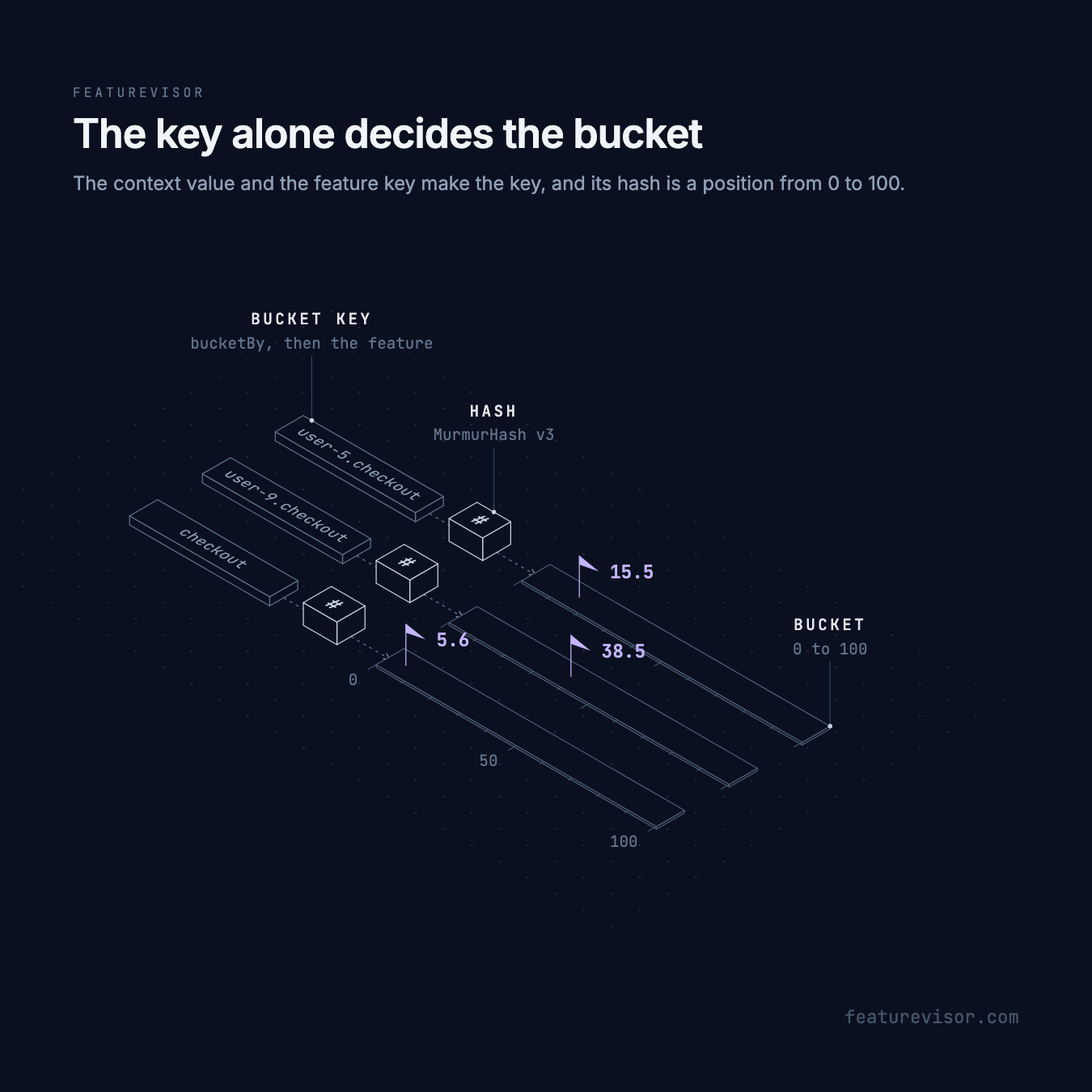
Nothing else goes into the key. Rules, segments, percentages and weights do not move a user's bucket, so the same user gets the same position on every device, in every SDK, for as long as the feature key stays the same.
From bucket to result#
With the bucket known, the SDK takes the first rule whose conditions match the context:
- The feature is enabled when the bucket is at most the rule's percentage. At 25%,
user-5at 15.5 is in anduser-9at 38.5 is out. - A user outside the matching rule's percentage is disabled. Later rules are not checked.
- For a feature with variations, the bucket also picks the variation, from ranges allocated by weight. See Variations.
The evaluation flow lists every step, including force entries and requirements that come before the rules.
Choose what to bucket by#
bucketBy takes one attribute, several, or the first one present:
bucketBy | Bucket key for the context { organizationId: acme, userId: user-9 } |
|---|---|
userId | user-9.checkout |
[organizationId, userId] | acme.user-9.checkout |
or: [userId, deviceId] | user-9.checkout, or the deviceId when there is no userId |
Bucket by whatever should keep its result: a user, a device, or an organization when everyone in it should see the same thing.
Missing attributes#
A bucketBy attribute that is missing from the context adds nothing to the key. With bucketBy: userId, every context without a userId shares the key checkout and the bucket 5.6. All anonymous visitors outside the Netherlands are therefore in checkout together, or out together at a lower percentage.
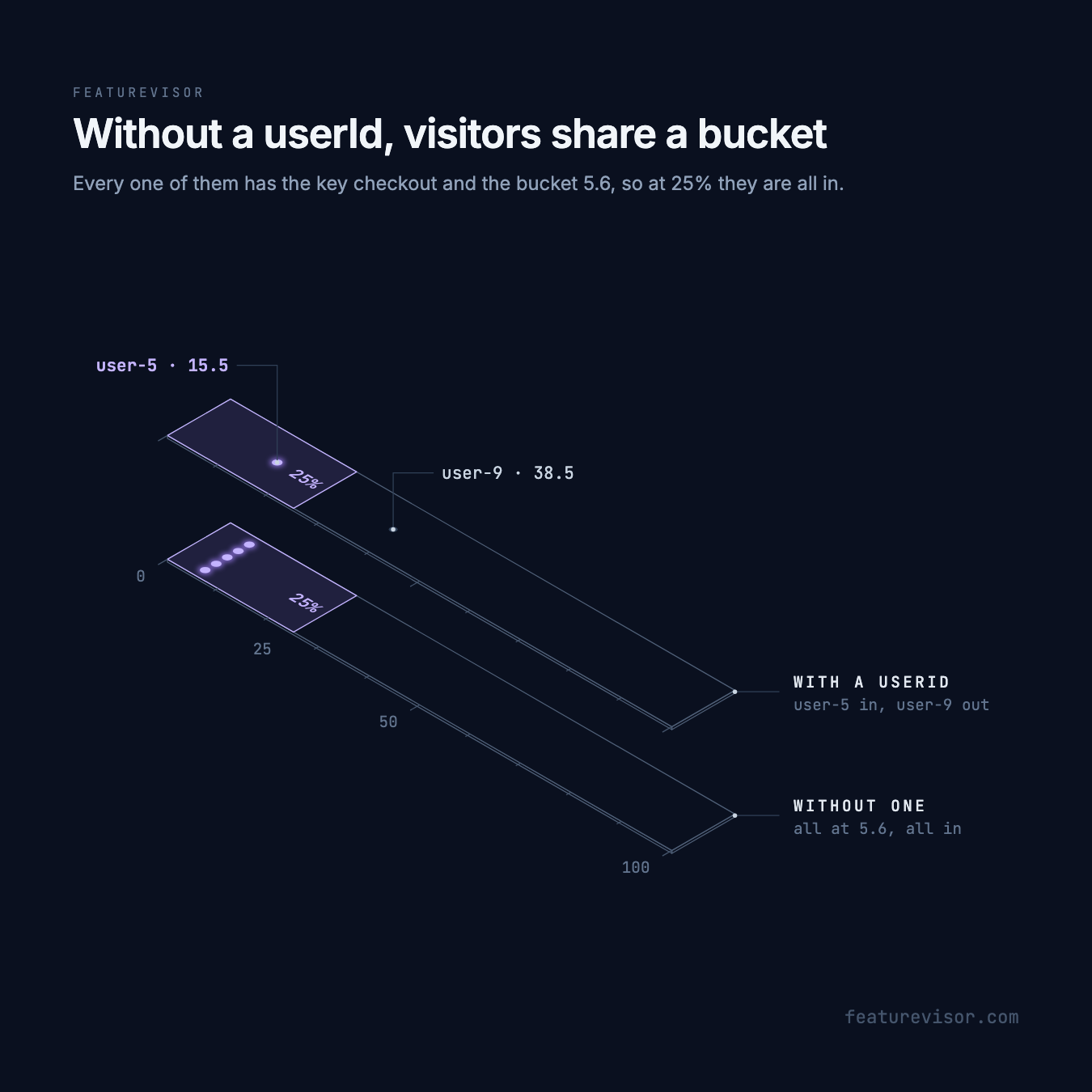
For applications with signed in users and anonymous visitors, fall back to a device identifier:
# ...bucketBy: or: [userId, deviceId]Declare both attributes, and pass at least one. A visitor who signs in moves from their deviceId bucket to their userId bucket, so their result can change at that moment.
Consistent bucketing#
A user's bucket never changes, but their result can. What changes it:
- Lowering a percentage takes out the users above the new value.
- Lowering a percentage, changing weights or renaming a rule redivides the variation ranges. See Variations.
- Losing the state files that record variation ranges between builds.
- Renaming the feature, which changes every bucket key.
Raising a percentage keeps everyone who was already in, and keeps their variation, unless the rule sets its own variationWeights.
Test a bucket#
Specs fix the bucket with at, from 0 to 100, so a test does not depend on real user IDs:
feature: checkoutassertions: - description: Out above the rollout at: 38.5 context: country: de expectedToBeEnabled: falseTo see a real user's bucket and key, run npx featurevisor evaluate with --explain. It prints a line such as Bucket: 38533 / 100000 · key "user-9.checkout". SDK modules can change the bucket key or value before rules are checked.