


Use cases
Progressive delivery
Release a feature to a small audience first, watch how it behaves, and widen it in steps until everyone has it. Each step is a reviewed change to one number.
This page rolls out checkout from the Quick start: first to some Dutch users, then all of them, then everyone else.
Start with one country#
Begin with 10% of users in the netherlands segment, which the default project already has:
description: Checkout redesignbucketBy: userIdrules: - key: netherlands conditions: netherlands percentage: 10Users outside the Netherlands match no rule, so they do not get the feature.
Widen it in steps#
Before the first step, agree what you will watch at each one, such as checkout errors and completed orders, and what makes you stop. Each later pull request is then a routine call rather than a debate.
Once the numbers look right, raise the percentage in a new pull request. When Dutch users are at 100%, add a rule for everyone else:
description: Checkout redesignbucketBy: userIdrules: - key: netherlands conditions: netherlands percentage: 100 - key: everyone conditions: '*' percentage: 25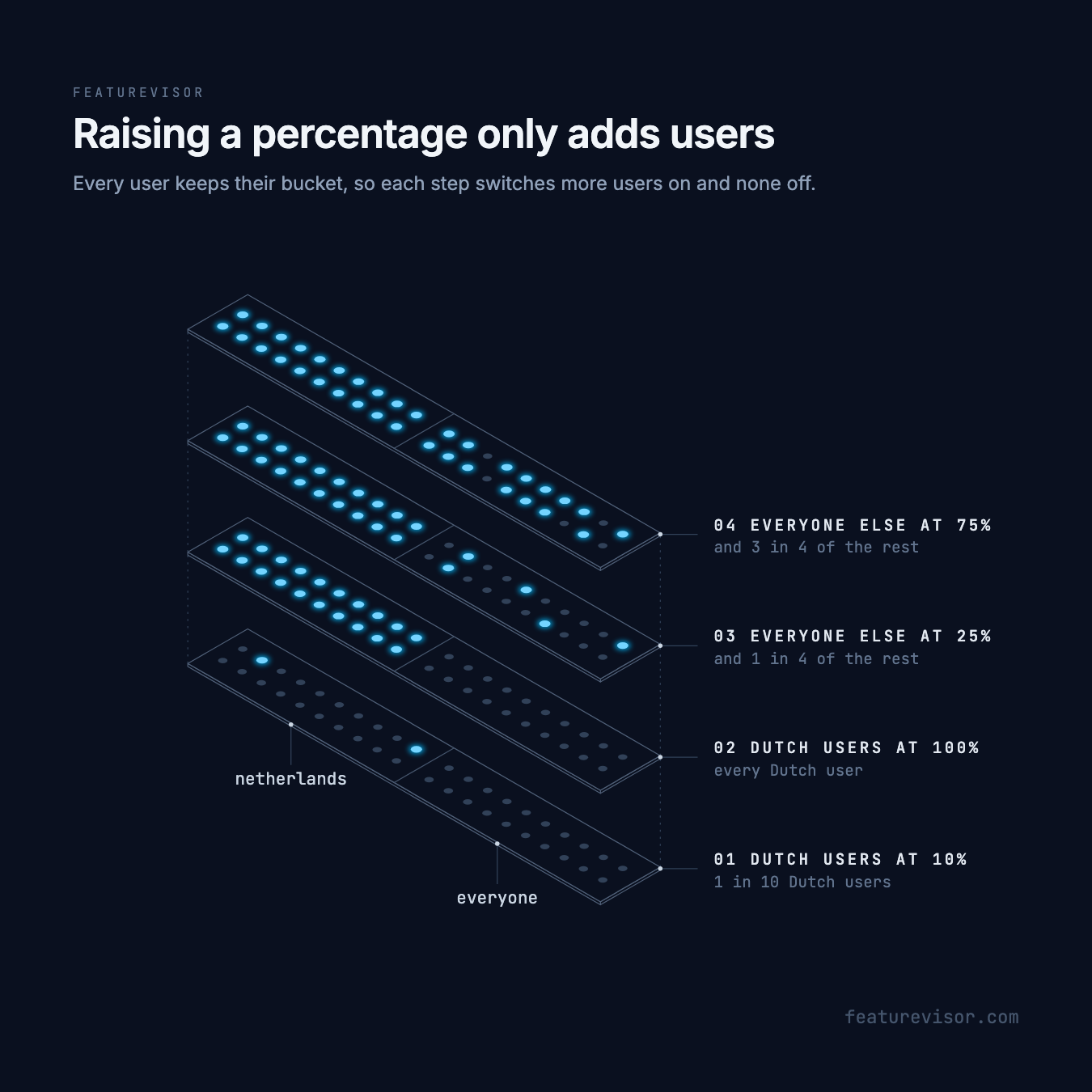
Every user has a fixed bucket for checkout, so raising a percentage only ever adds users. Nobody who had the new checkout loses it. Four users get these results at each step:
| Step | user-4, nl | user-2, nl | user-5, de | user-9, de |
|---|---|---|---|---|
| Dutch users at 10% | Off | Off | Off | Off |
| Dutch users at 100% | On | On | Off | Off |
| Everyone else at 25% | On | On | On | Off |
| Everyone else at 75% | On | On | On | On |
Their buckets for checkout are 89.3, 73.5, 15.5 and 38.5, so each switches on once a rule that matches them reaches that percentage.
Keep the feature key, bucketBy and the users' IDs the same throughout, or the buckets change. Lowering a percentage switches the feature off for the users above the new value, so do it only to roll back.
Check each step#
Before each change merges, test the boundary of the new percentage. At 25%, a German user just below 25 is in and one just above is out:
feature: checkoutassertions: - description: Everyone else is in below 25 at: 24 context: country: de expectedToBeEnabled: true - description: Everyone else is out above 25 at: 26 context: country: de expectedToBeEnabled: false
Then evaluate the users you care about:
npx featurevisor evaluate \ --feature=checkout \ --context='{"userId": "user-5", "country": "de"}' \ --explainEach step reaches users once the datafile is published and their application refreshes it.
Related#
- Flags, for the rollout basics
- Experiments, to compare variations instead
- Configuration rollback
- Testing in production