


Tools
Catalog
Catalog is a website for browsing your project: every definition, how they depend on each other, their tests and their Git history. Run it while you edit, or export it and host it for your team, so people who do not read YAML can see who gets what. It shows definitions and never changes them.
Run it#
npx featurevisor catalogCatalog opens at http://127.0.0.1:3000/ and reloads when your project changes:
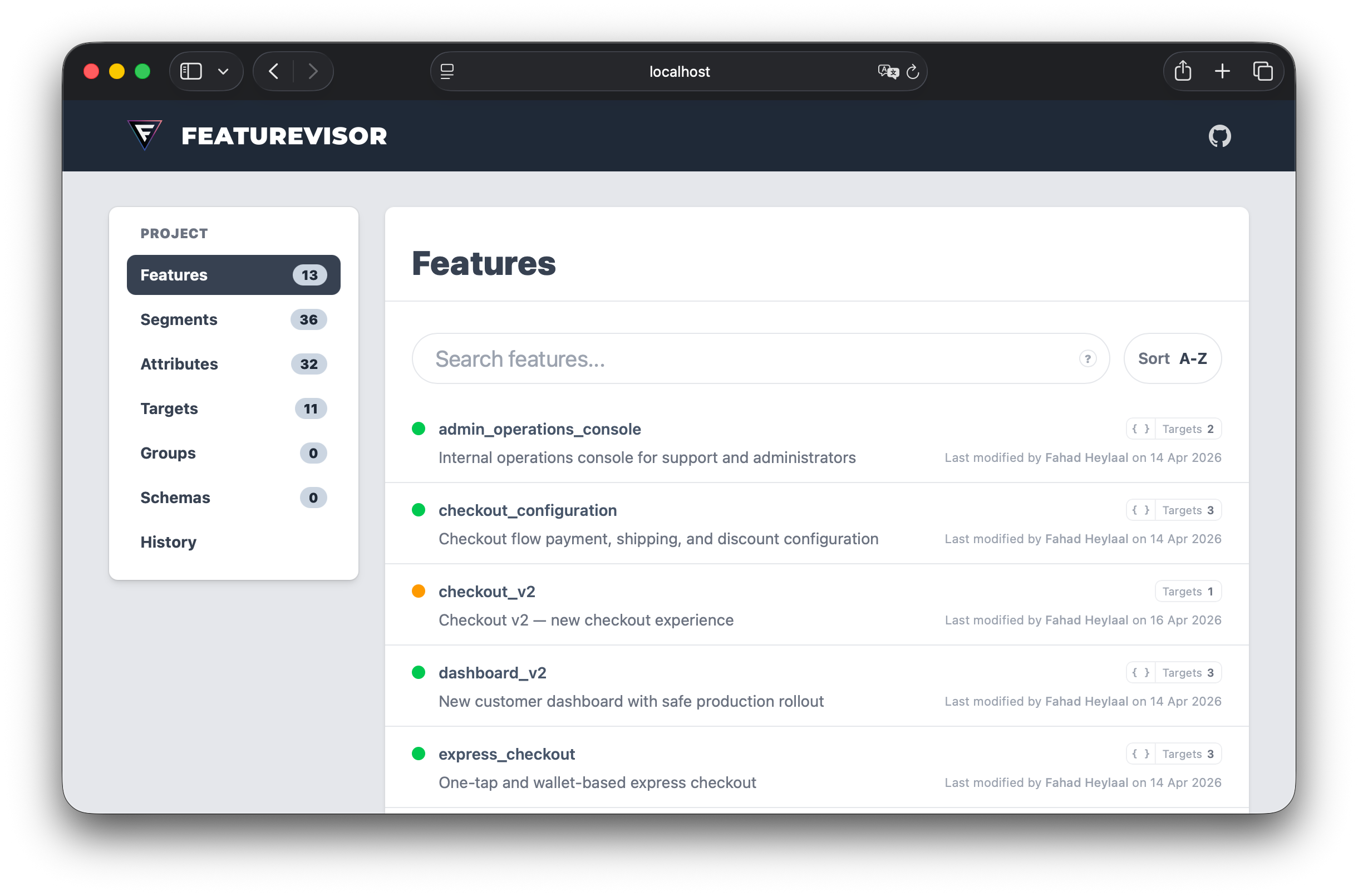
Choose another port when needed:
npx featurevisor catalog --port=4000Changes to featurevisor.config.js reload the project configuration too.
What you get#
- Search features, global variables, segments, attributes, targets and schemas.
- Follow dependencies in both directions, directly and through other definitions.
- See target memberships across configured environments.
- Browse entity tests and scenarios, with expanded matrix cases and shareable links to assertions and checks.
- Display results from saved test reports.
- Explore project and entity Git history, with repository links when available.
- Switch between independent project views when using sets.
Projects without environments show no environment selector or environment sections.
Root conditions appear on each definition's overview. The same condition tree shows attribute, segment, feature and variable leaves in rules, force entries and overrides. Follow linked references to their definitions.
Catalog also works outside Git and before the first commit, with empty history.
Questions it answers#
Once you host an export, anyone with access can answer these without reading a definition file:
| Question | Where to look |
|---|---|
Who gets the new checkout? | Its Rules tab |
What changes if netherlands changes? | Its Usage tab |
| Who changed this, and when? | The History tab |
| Is it tested? | The Tests tab, or without:tests in a list |
| How do I suggest a change? | Propose change, which opens your Git host's editor |
Propose change appears when the project's remote is on GitHub, GitLab or Bitbucket. See Source links.
Follow dependencies#
Each feature, global variable, segment and attribute has a Usage tab in two parts. Used by lists what refers to the definition, with each place and what that place checks, such as has variation treatment. It then lists what reaches the definition only through others, with the chain between them. Depends on lists the same in the other direction. A change to anything in it can change the definition's result.
The overview counts both. netherlands reports every feature and global variable that would change with it, and how many refer to it directly. A segment counts as used only when a feature or global variable reaches it, so segments that only unused segments refer to are reported as unused too.
In a condition tree, open a segment in place to read its own conditions. A segment whose membership depends on a feature or global variable says so, because it changes whenever they do. The Context row lists every attribute a definition reads, including through segments.
The Variations and Variables tabs name what checks each variation and reads each variable, so you can see what renaming or removing one would affect. A deprecated feature lists what still depends on it, and each definition depending on one shows a notice.
A target's contents mark what it holds only because something it selected depends on it, with the chain that pulled each one in. The History tab can include commits to everything a definition depends on, since those change its result too.
In lists, uses:netherlands finds what depends on netherlands, directly or not. usedby:chatFileUpload finds what chatFileUpload depends on. Write uses:segment:netherlands when another type shares the key.
Follow composition dependencies to the sources behind a string alias or collected object. The source definitions determine the result type. Evaluate with the intended context to inspect the value after targeting and overrides.
Test results#
Catalog displays definitions and declared test relationships. Run npx featurevisor test to verify the expectations. Add --test-report=<file> to display results from a saved JSON test report. Relationships alone are not proof of coverage.
Catalog labels saved results as current, stale or unverified. A JavaScript CLI JSON report records a fingerprint of the project inputs when preparation succeeds and the run does not use --inflate. Matching inputs make results current, while changed inputs make them stale. Reports without a supported fingerprint, including native runner reports, appear as unverified history. A fingerprint verifies inputs, not report authenticity.
Filtered runs show the number of executed cases. Missing cases show as Not run, and a spec passes only when every expected case has a matching successful result. Repeated or unmatched case results cannot establish complete coverage. Any recorded failure remains visible.
Export and host#
Generate a static Catalog in catalogDirectoryPath, which defaults to catalog/:
npx featurevisor catalog exportThe output can be deployed to any static host. Use another directory if needed:
npx featurevisor catalog export --out-dir=./dist/catalogServe an export locally with the following command. If the output directory has no data/manifest.json, Catalog creates an export first:
npx featurevisor catalog serveCatalog uses browser history routes by default. If your host cannot route application URLs to index.html, use hash routing:
npx featurevisor catalog export --hash-routerThe default hosting path is /. To host under /flags/, set catalogBasePath: '/flags/' in featurevisor.config.js. The export uses this prefix for assets, data and navigation. Upload the output directory's contents at that path. Hash routing works without an HTML fallback. History routing requires the host to serve the exported index.html for entity URLs beneath the prefix. Follow the GitHub Pages or Cloudflare Pages instructions for deployment.
Options#
| Option | Applies to | Description |
|---|---|---|
--out-dir=<path> | all Catalog commands | Override catalogDirectoryPath for this invocation |
--port=<number> or -p <number> | catalog and catalog serve | Serve on another port instead of 3000 |
--hash-router | all commands when exporting | Generate routes suitable for hosts without an HTML fallback |
--no-assets | all commands when exporting | Generate project data without copying the Catalog UI assets |
--pretty-output | all commands when exporting | Format generated JSON for inspection |
--block-size=<bytes> | all commands when exporting | Change the 256 KiB block size budget |
--test-report=<file> | all commands when exporting | Include a saved JSON test report |
--branch=<name> | all commands when exporting | Link source files to this branch instead of detecting one |
For catalog serve, export options apply only when that initial export is needed. They do not change an existing export. Run catalog export with the options you need to regenerate it.
Use --no-assets only when your workflow manages the compiled Catalog interface separately.
Source links#
When the project's Git remote is on GitHub, GitLab or Bitbucket, each definition links to its file there and to the host's editor, where you can propose a change. Catalog uses the remote's default branch when Git knows it, otherwise the checked out branch. CI checkouts are often detached and know neither. Catalog then links to the exported commit and leaves out the editor link. Pass --branch=main, or your own default branch, to link to a branch in CI.
Larger projects#
Search, filtering and sorting cover the complete project. Catalog loads details as you open them and reuses unchanged files between exports.
Exports reuse unchanged blocks. A new manifest is published after its data is ready, so a failed rebuild does not replace the previous data snapshot. Previously generated blocks remain available for tabs that still use the old manifest. When deploying, upload the blocks before the manifest and retain older blocks while those tabs may still be open. For a clean deployment without retained history, export to a new directory and deploy that complete directory together.
Removing a definition does not erase it from retained blocks. If old content must no longer be accessible, deploy a fresh export and remove the previous files from your host. Tabs using the old snapshot will need to reload.
When using sets, edits within one set rebuild that set. Configuration changes and shared inputs rebuild the whole project.
JSON is compact by default. For inspection, format the output with:
npx featurevisor catalog export --pretty-outputThe default block size budget is 256 KiB. Change it with --block-size=<bytes> if your host benefits from a different request size. A single large entry can exceed this budget. These options affect Catalog output only, not SDK datafiles.
The built in server caches immutable blocks and revalidates the manifest. Configure equivalent headers on your static host if desired. Keep the generated UI and data together.
Related#
- Testing, for the reports Catalog displays
- GitHub Pages and Cloudflare Pages, to host an export
- Configuration, for
catalogBasePath