


Definitions in depth
Conditions
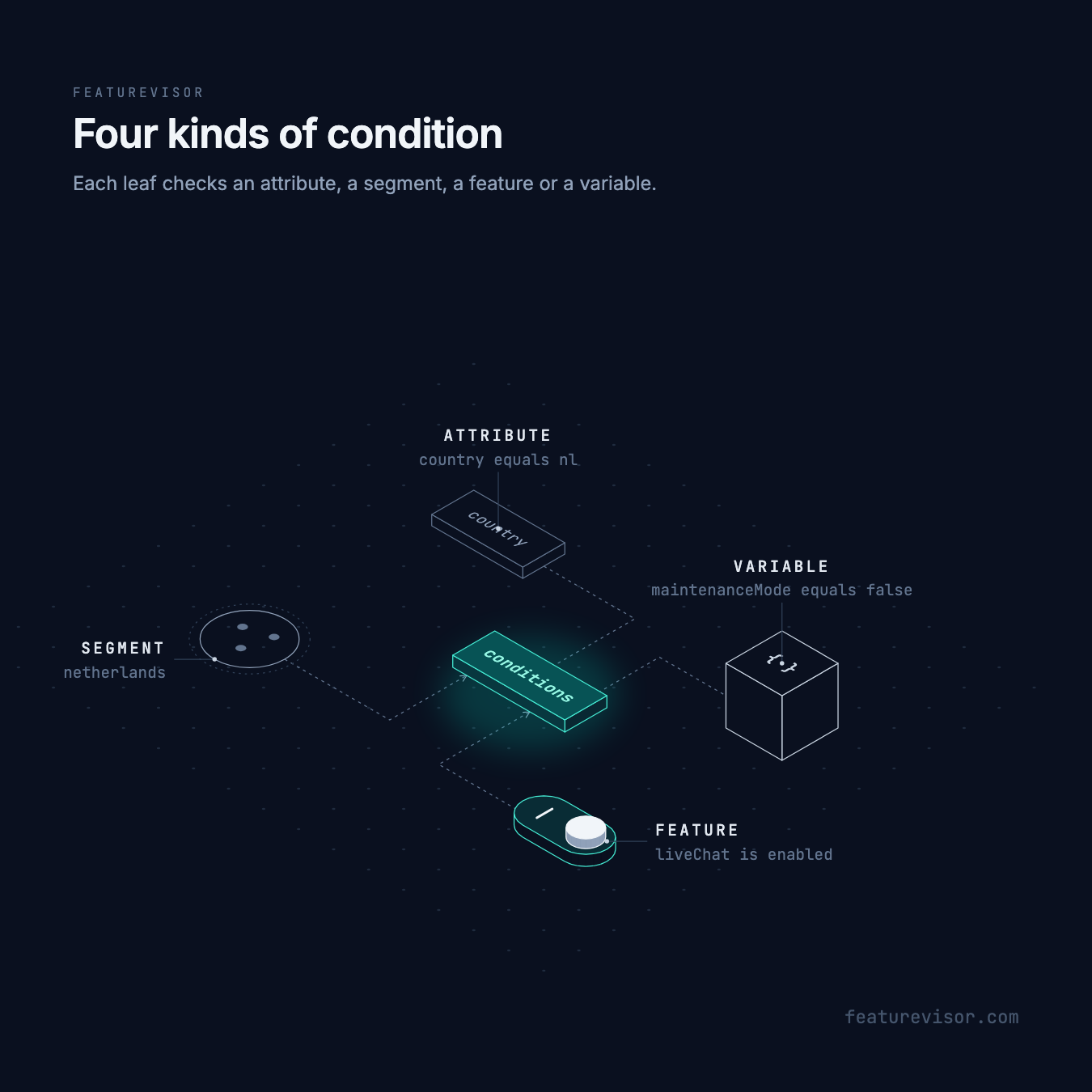
Conditions decide who something applies to: Dutch paying accounts, users who already have live chat, or everyone while maintenance mode is off. The same four kinds of condition select audiences in segments, rules, force entries and variable overrides, and gate whole features or global variables.
Write a condition#
Each leaf checks one of four things:
- an attribute from the context, such as
countryequalsnl - a segment, named by its key, such as
netherlands - a feature's result, such as
liveChatbeing enabled - a variable's value, such as
maintenanceModeequalsfalse
Combine leaves in a list when they must all match.
Compare an attribute#
An attribute condition compares the context your application passes in:
description: The Netherlandsconditions: - attribute: country operator: equals value: nlUse a dotted attribute path such as account.seats to read a property. Condition operators lists comparisons and the types they accept. Omit value for presence, null and emptiness operators. Optional regexFlags applies to regex comparisons.
Reference a segment#
A bare string always names a segment, never a feature. Reuse netherlands in a rule:
description: Checkout redesignbucketBy: userIdrules: - key: netherlands conditions: - netherlands percentage: 100 - key: everyone conditions: '*' percentage: 25The referenced segment evaluates its own conditions with the same context. Segments can themselves reference other segments, features and variables. An unknown segment never matches.
Require another feature#
Use { feature: liveChat }, not the string liveChat, to check a feature. File upload only makes sense inside live chat:
description: Live chat widgetbucketBy: userIdrules: - key: everyone conditions: '*' percentage: 100description: File upload inside chatbucketBy: userIdconditions: - feature: liveChatrules: - key: everyone conditions: '*' percentage: 100enabled defaults to true. While live chat is off, so is file upload. While it is on, file upload's own rules decide. Set enabled: false to require a feature to be off instead.
Require a variation#
Add variation to compare the result of getVariation. Both the enabled state and the variation must match:
# ...conditions: - feature: pricing variation: controlWith enabled: false, a variation condition can match a disabled feature whose disabledVariationValue is that variation. A feature condition has no operator. Use variation, not operator: equals, to compare a variation.
Require a variable value#
A variable condition compares the value its ordinary getter returns. A boolean global variable makes a kill switch:
description: Maintenance kill switchtype: booleandefaultValue: false# ...conditions: - variable: maintenanceMode operator: equals value: falseCompare with false rather than negating equals: true, so that a missing value keeps checkout off too. A string composition alias is a global variable and compares its final getter value without a wrapper or a second JSON decode.
Use path to select part of a structured value:
# ...conditions: - variable: checkoutSettings path: currency operator: equals value: EURAdd feature to select a feature variable. It does not separately require that feature to be enabled, so disabled fallbacks still participate:
# ...conditions: - feature: buyButton variable: label operator: equals value: Buy nowFor a supported payment method, compare an array with candidates:
# ...conditions: - variable: checkoutSettings path: paymentMethods operator: includesAny value: [card, ideal]notIncludesAny requires that no candidate occurs. Both use strict primitive matching, without type conversion. A missing or malformed operand satisfies neither.
Combine conditions#
A list means AND. Groups can nest to any depth:
| Form | Matches when |
|---|---|
and | Every child matches |
or | Any child matches |
not | The children do not all match |
'*' | Every context |
File upload needs live chat and stays out of pricing's treatment:
description: File upload inside chatbucketBy: userIdconditions: - feature: liveChat - not: - feature: pricing variation: treatmentrules: - key: everyone conditions: '*' percentage: 100The illustration calls pricing's control A and treatment B, and lights B, the variation the not names.
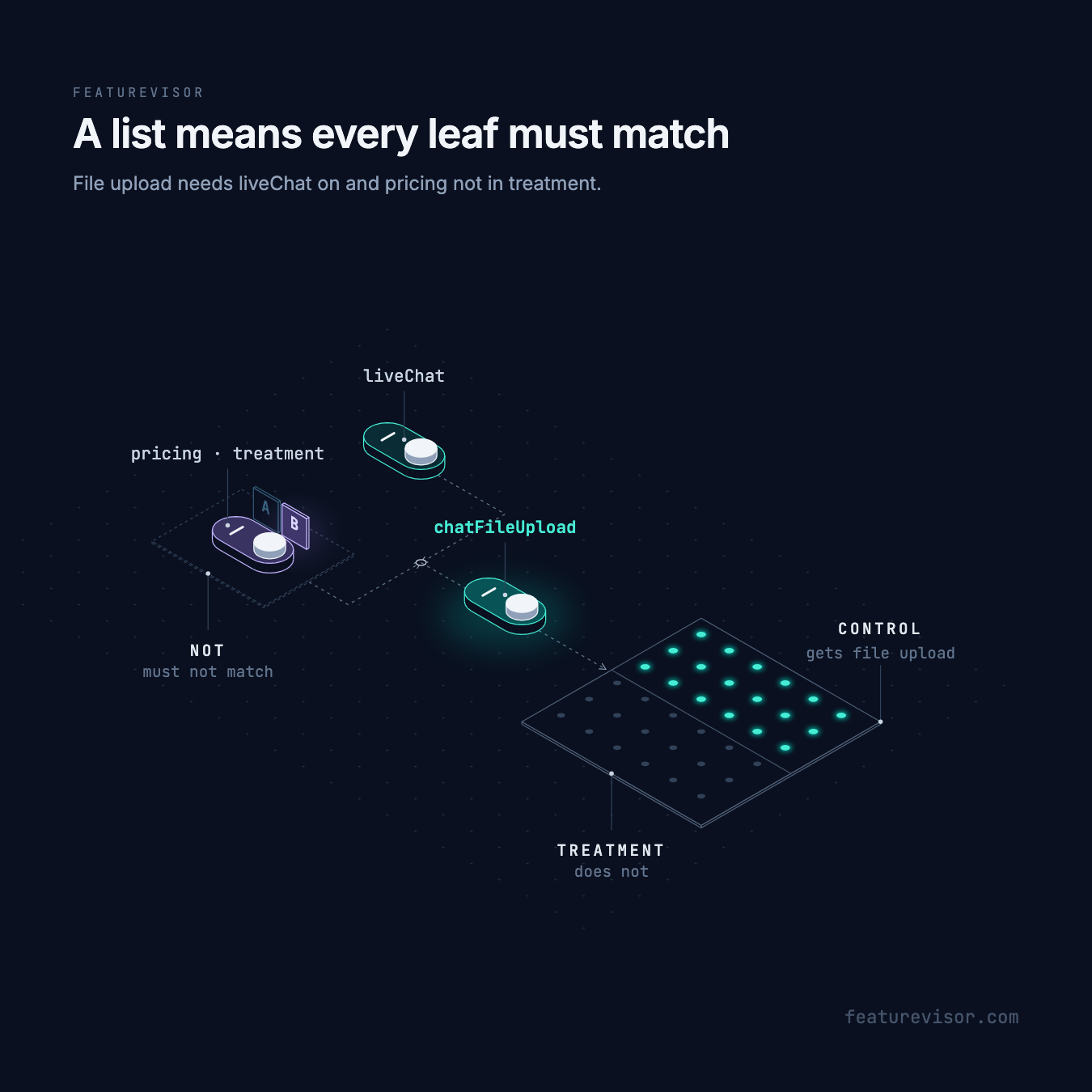
With live chat enabled, user-4 is in control and gets file upload. user-1, user-2 and user-3 are in treatment and do not.
not: [a, b] means not both, where a and b are segment keys. To require neither, write not: [{ or: [a, b] }]. Empty arrays and groups are lint errors and return false at runtime. '*' is valid only as the entire conditions value, never inside a list or group.
Objects cannot mix leaf kinds or combine a leaf with a group. A variable leaf may include feature but not enabled or variation. Unknown fields are lint errors.
Where conditions go#
| Location | Required | Purpose |
|---|---|---|
| Segment root | Yes | Membership |
| Feature root | No | Gate |
| Feature rule | Yes | Rule selection |
| Force entry | Yes | Forced selection |
| Feature variable override | Yes | Override selection |
| Global variable root | No | Gate, including compositions |
| Global variable override | Yes | Override selection, including nested children |
Use conditions: '*' for a selector that always matches. Nested global overrides must also match every ancestor. Test checks keep their own grammar.
Every location accepts all four kinds of leaf. To keep a simpler style, limit what each location accepts with allowedConditions, for example rules that only name segments.
Evaluation order#
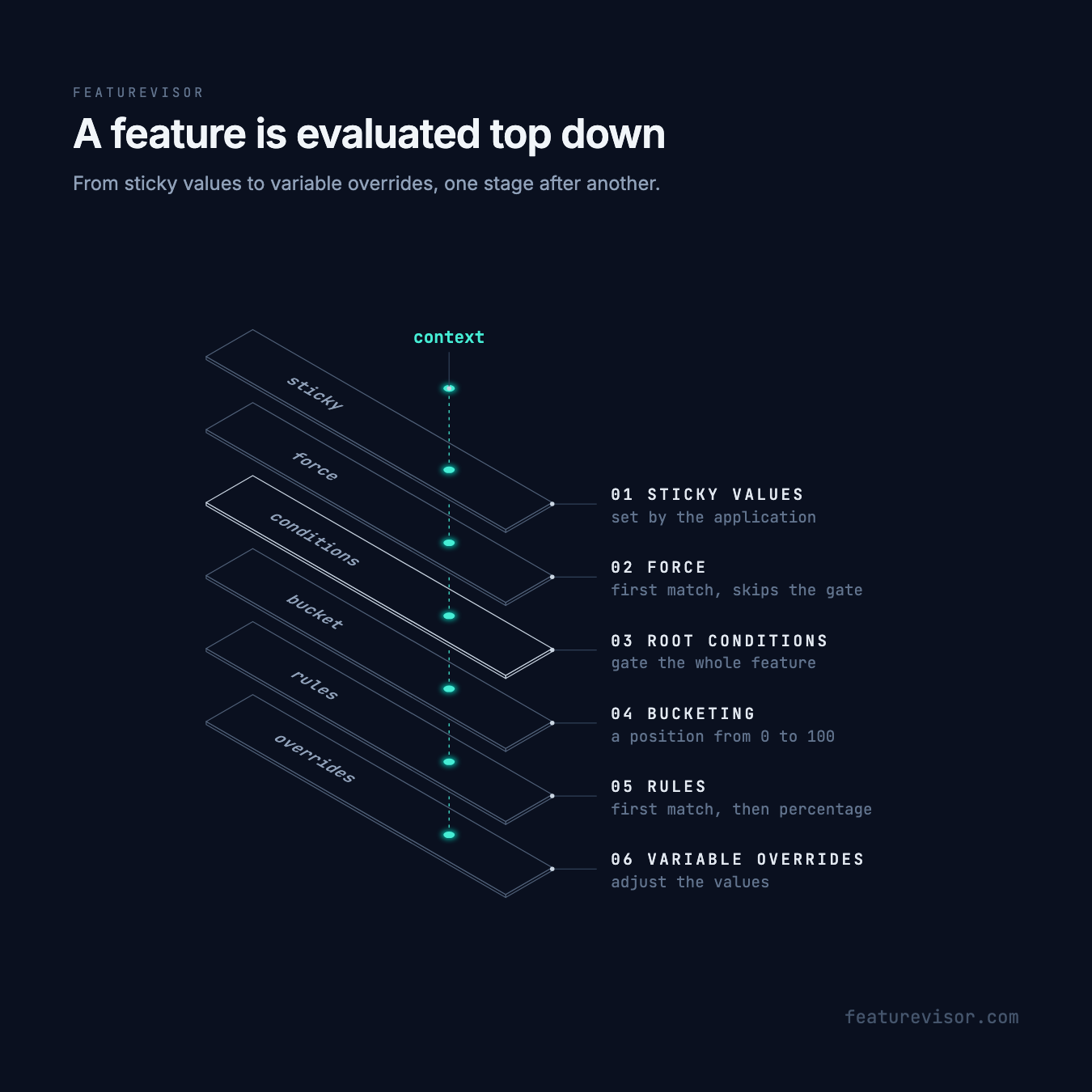
Feature evaluation follows these stages:
- Sticky values.
- The first matching force entry, which bypasses the root gate.
- Root conditions, which gate the feature.
- Bucketing.
- The first matching rule, then its percentage check. A percentage miss does not fall through.
- Variable overrides.
Global variables check a sticky value first, then root conditions, then composition sources if present, then overrides. An unmet gate skips sources and overrides. A composed variable returns disabledValue when supplied, otherwise null. It has no defaultValue or useDefaultWhenDisabled. Lint checks its optional disabledValue against the source or inferred composition schema.
An ordinary global variable returns disabledValue, its defaultValue with useDefaultWhenDisabled: true, or null. disabledValue wins when both options are set.
Unmet root conditions report conditions_unmet for flags and global variables. The failed gate is in evaluation.conditions. Variation and feature variable evaluations keep their usual disabled reasons and fallback values.
In the JavaScript SDK, malformed stringified selector JSON fails the whole selector, even under NOT. This also applies when NOT references a malformed segment. Other entities keep working and an otherwise valid datafile is still accepted. The SDK reports conditions_parse_error at error level once per selector per datafile load, on first read for v4 datafiles and during setDatafile() for v3 datafiles. See diagnostics for details.
Dependency reads#
Leaves run in authored order and stop as soon as the result is known. Put cheap attribute leaves first. Feature and variable leaves call ordinary SDK getters, including their modules, sticky values and fallbacks.
Equivalent dependency getters are memoized within one root call, not across application calls. Modules receive dependencyOf and dependencyPurpose: 'condition'. Skip these eligibility reads when tracking exposure, but do not skip consumed 'composition' reads. See JavaScript modules.
Targets include references from every branch, even branches skipped at runtime. Reference changes also affect hashes and dependent update notifications, including references reached through segments.
Cycles and depth#
Lint rejects direct, indirect and mixed cycles across segments, features, feature variables and global variables. A feature referring to its own flag or variable in a rule is a cycle. Runtime cycles in an externally supplied datafile fail the whole evaluation with error, as does exceeding 256 nested dependency evaluations. Negation cannot turn these errors into a match.
A chain of dependencies also has a depth: the number of feature, variable and segment evaluations one call waits on. Lint and build reject a chain of more than 256, because every SDK fails it. Lint also warns above 32. That depth fits the 512 KB threads common on mobile platforms in release builds, but debug builds and smaller stacks can fail sooner. A chain too deep for its thread fails with error instead of returning a value. A failed dependency reports one evaluation_error diagnostic for the call that started it.
Test and explain#
Run npx featurevisor lint before building. Removed selector fields are lint errors, but building does not run full lint and can silently omit an old gate or selector. Dependency cycles still fail building independently.
Inspect an evaluation with evidence for attribute values, segment matches, feature results and variable values:
npx featurevisor evaluate \ --feature=chatFileUpload \ --context='{"userId":"user-1"}' \ --explainuser-1 is excluded by pricing's treatment. Inspect an enabled result for user-4:
npx featurevisor evaluate \ --feature=chatFileUpload \ --context='{"userId":"user-4"}' \ --explainSegment specs can supply an environment, bucket position and sticky values when conditions depend on getters.
Details#
Paths inside variable values#
A path is a dotted string or an array of literal parts. path: ["limits.v2", 0, quota] reads the first item's quota under the literal limits.v2 property. Integer parts address array items, not object keys. String parts such as "0" and "length" can address an array index or length. Wildcards and item selectors are not supported. The builder compiles paths to arrays.
Getter results and missing values#
A missing getter returns null, while a missing nested path is absent. isNull matches explicit null, not an absent path. notNull requires a present, nonnull value. Compare booleans with equals or notEquals, not in or notIn.
An absent feature is disabled and can satisfy enabled: false. Ordinary getter or module failures use the normal fallback. Cycles and comparisons that throw remain evaluation errors.
Compare a date variable#
Variables store dates as strings. Optional format: date-time checks stored timestamps during lint. Plain string variables can also use before and after. These comparisons are strict and do not read a clock. For a timed launch, pass a timestamp attribute as in Scheduled releases.