


Complex variables
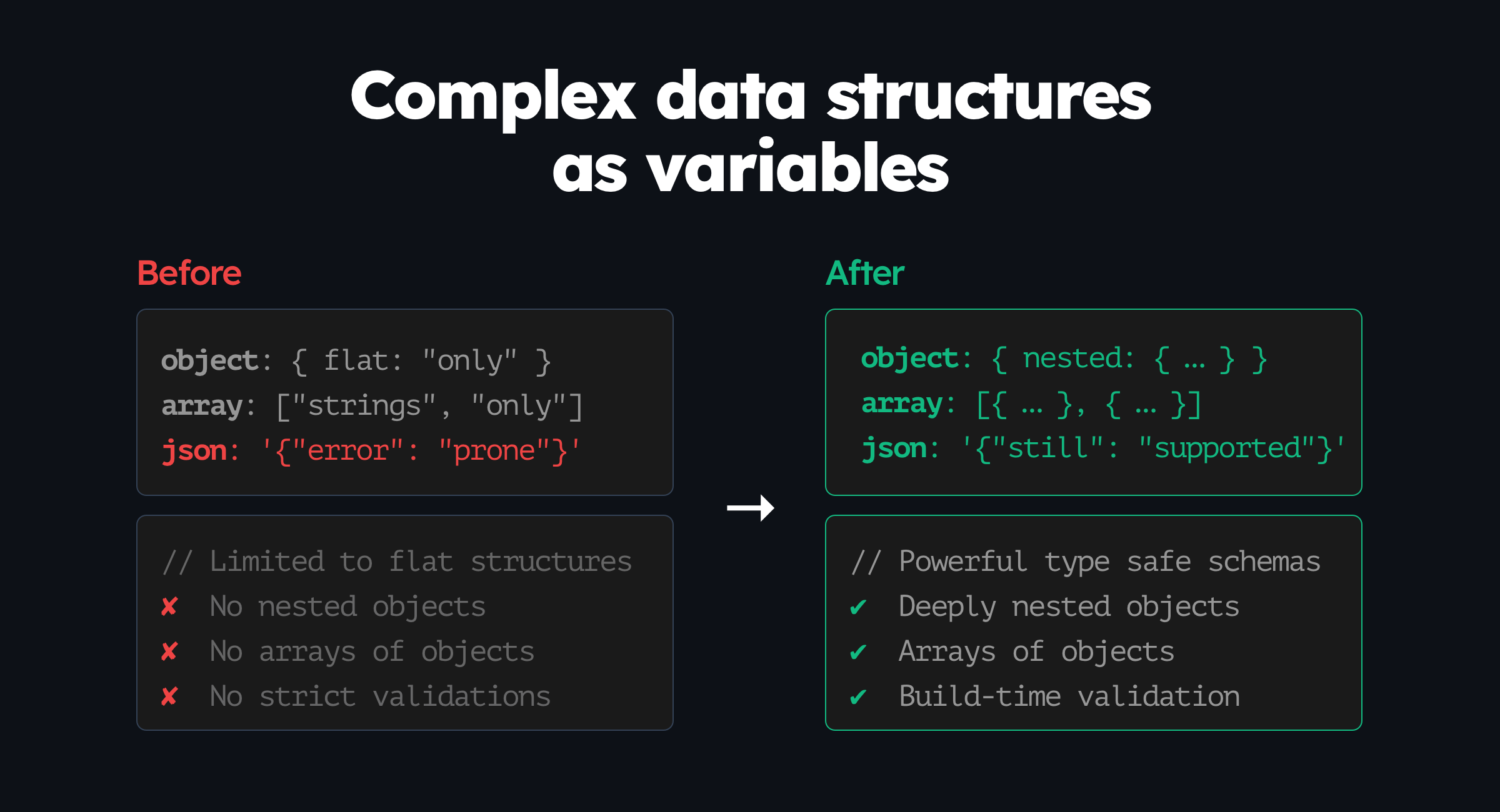
Feature variables with object and array types can now be expressed as more complex data structures with full type safety and code generation.
Challenges with existing variable types#
Featurevisor always supported several different types of variables in features, including:
boolean: true or false valuesstring: text stringsinteger: whole numbers without decimal placesdouble: numbers with decimal placesarray: array of strings onlyobject: flat objects onlyjson: any valid JSON in stringified form, when no other type is suitable
The moment you enter the territory of object and array types, you are limited to very simple data structures like either an array of strings, or a flat object.
This posed a challenge when you wanted to express more complex data structures including nested objects or arrays of objects. You are left with the only option of using the json type, which is a stringified JSON object prone to human errors.
Solution: typed objects and arrays#
From now onwards, you can express more complex data structures with full type safety while being able to rely on linting to find issues before they happen in your definitions.
The expressions below use a flavour of JSON Schema to define the shapes more precisely.
Variable type: object#
You have the option of continuing using flat objects like before, or you can define more complex objects with a schema using the properties property explicitly.
Implicit flat object#
Just like before, if you define an object with no extra schema, it will be treated as a flat object:
# ...variablesSchema: my_object: type: object defaultValue: myKey: my value anotherKey: another valueExplicit flat object#
Going forward, you can define a more complex object with a schema using the properties property:
# ...variablesSchema: my_object: type: object properties: # define the shape of the object here myKey: type: string anotherKey: type: string defaultValue: myKey: my value anotherKey: another valueBecause of explicitly defining properties, linting will now warn you if you try to define the variable's value wrongly that's not supported by the schema anywhere in the feature definition.
Nested objects#
This also means, you can now define nested objects with ease:
# ...variablesSchema: my_object: type: object properties: myKey: type: string nestedObject: type: object properties: nestedKey: type: string defaultValue: myKey: my value nestedObject: nestedKey: nested valueEvaluating object variables#
SDK usage remains the same as before:
const f; // Featurevisor SDK instance// without explicitly using TypeScript interfacesconst myObjectValue = f.getVariable('my_feature', 'my_object');const nestedObjectValue = f.getVariable('my_feature', 'nested_object');// with TypeScript interfacesconst myObjectValue = f.getVariableObject<MyObject>('my_feature', 'my_object');const nestedObjectValue = f.getVariableObject<NestedObject>('my_feature', 'nested_object');Variable type: array#
Similar to object type, you have the option of continuing using arrays of strings like before, or you can define more complex arrays with a schema explicitly using the items property.
Implicit array#
Just like before, if you define an array with no extra schema, it will be treated as an array of strings:
# ...variablesSchema: my_array: type: array defaultValue: - red - blue - greenExplicit array type#
Going forward, you can define a more complex array with a schema explicitly using the items property:
# ...variablesSchema: my_array: type: array items: type: string defaultValue: - red - blue - greenArray of objects#
You can also define an array of objects using the items property:
# ...variablesSchema: my_array: type: array items: type: object properties: color: type: string opacity: type: integer defaultValue: - color: red opacity: 100 - color: blue opacity: 50 - color: green opacity: 25Evaluating array variables#
SDK usage remains the same as before:
const f; // Featurevisor SDK instance// without explicitly using TypeScript interfacesconst myArrayValue = f.getVariable('my_feature', 'my_array');// with TypeScript interfacesconst myArrayValue = f.getVariableArray<MyArrayItem>('my_feature', 'my_array');Code generation#
While you don't really need this to use Featurevisor, the CLI still supports generating TypeScript code from your feature definitions that you can use in your own applications for maximum type safety as your variables grow more complex.
You don't have to generate the types manually yourself any more then.
Just run the following command to generate the types:
$ npx featurevisor generate-code \ --language=typescript \ --out-dir=srcLearn more in code generation page.
How to upgrade#
- Upgrade to latest @featurevisor/sdk in your applications first, and then
- Upgrade to latest @featurevisor/cli in your project
This change does not break existing usage, but it is recommended that your applications upgrade to the latest SDKs first for maximum compatibility.
Conclusion#
Featurevisor started with some very carefully crafted variable types to cover the most common use cases. However, as your application and its architecture grows, you may find yourself needing to express more complex data structures including nested objects or arrays of objects.
This is now possible with the improvements introduced in this release.
If you can imagine your configuration needs, Featurevisor can help you express them with clarity and safety.